EK Crew Positions, Sorted.
The fastest way to manage your crew positions. Generate crew positions table instantly, handle IR and MFPs—all with a single tap.
30-day trial • No card • No signup
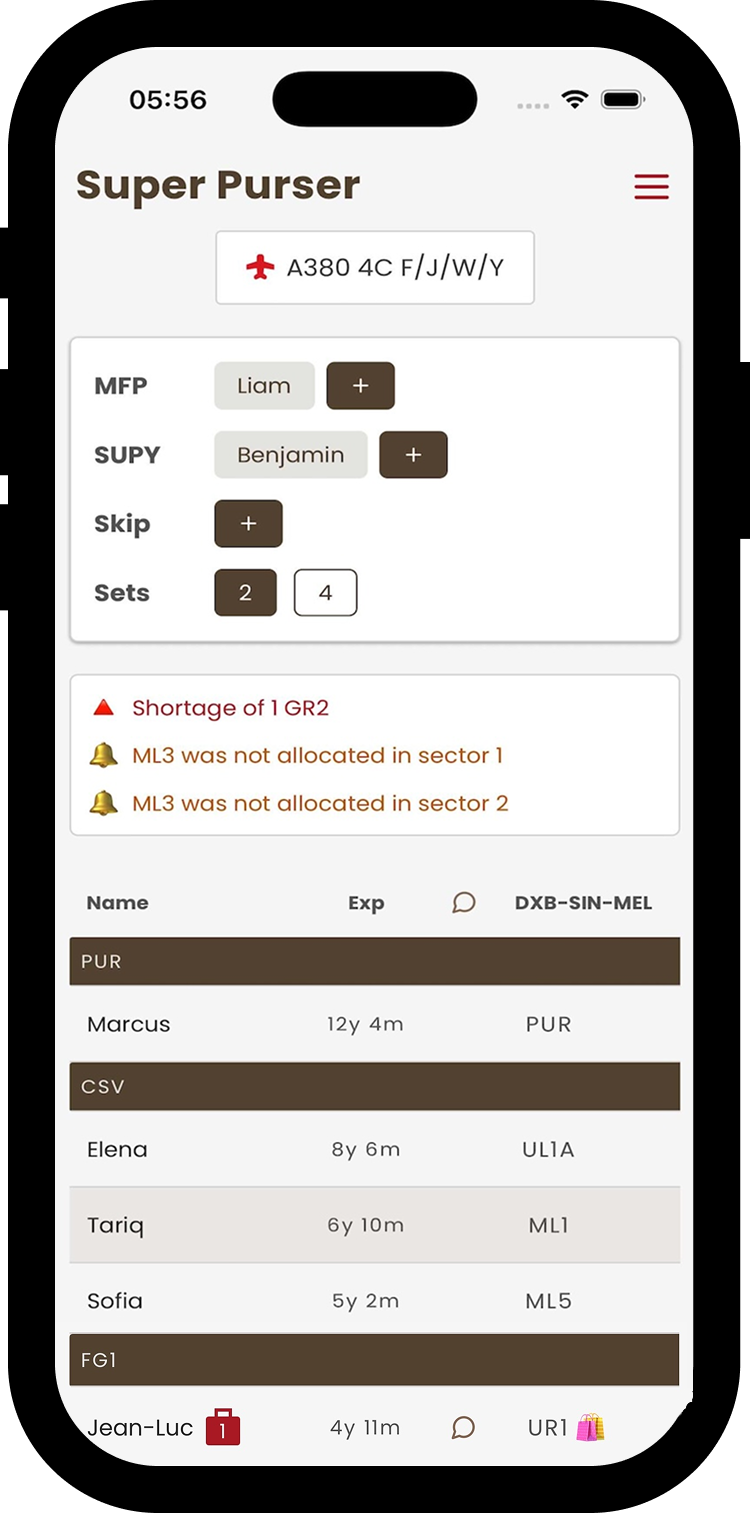
Positions Made Simple.
Work smarter. Crew position assignments, handled instantly.
3 steps to Perfect Crew Positions
Automated. Flexible. Precise.
Step 01
Tap Safari Extension
Go to your flight page in Safari and tap the Super Purser extension to open the app with your flight data.
Step 02
Review Crew Positions
The app instantly detects your aircraft type and assigns all crew to their optimal positions based on predefined rules.
Step 03
Get Positions Table
Share a clean, beautiful crew position table with your team ahead of the pre-flight briefing.
FAQs
Try it for a month
No credit card. No signup. Just instant crew positions.
Download on the
App Store